
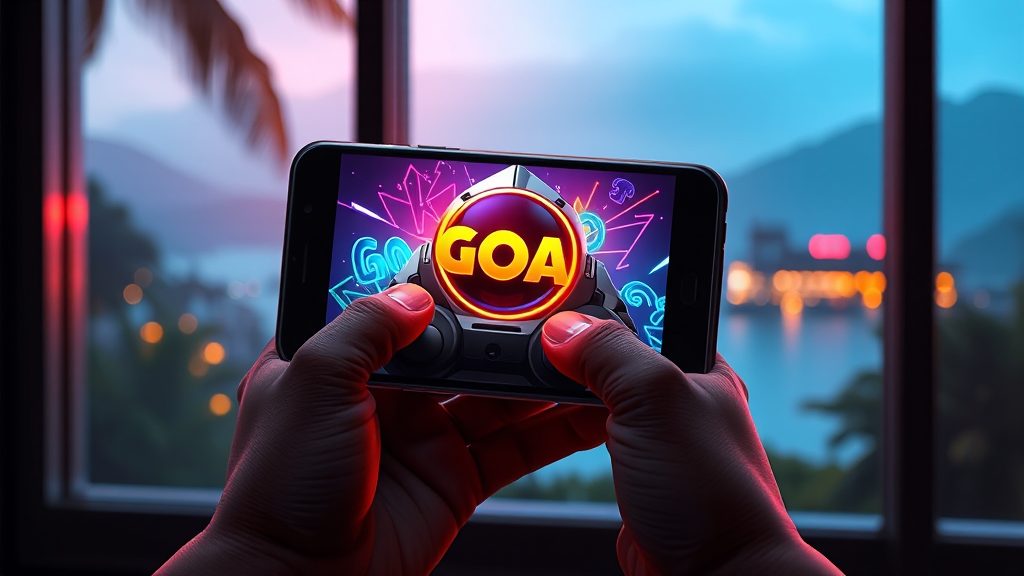
Mastering Goa Game: Essential Tips and Tricks for New Android Players
Mobile gaming has evolved into a rich ecosystem where players can enjoy console-quality experiences right from their smartphones. Among the rising stars in this space is the goa game, an action-packed Android title that has captured the attention of gamers worldwide. If you’re new to this game, you’re in for a treat. But like any great game, it comes with a learning curve. This guide is designed to help you understand the core mechanics, avoid common pitfalls, and get the most out of your gaming sessions.
What is Goa Game?
Goa Game is a dynamic mobile game that blends strategy, quick reflexes, and immersive storytelling. Unlike many casual games that rely solely on repetitive taps, Goa Game challenges you to think ahead, manage resources, and adapt to ever-changing environments. The game is available as an APK for Android devices, making it accessible to a wide audience. Whether you’re a seasoned gamer or just starting, the game offers a satisfying difficulty curve that keeps you engaged.
The game’s interface is intuitive, but its depth is what sets it apart. You’ll find yourself navigating through various levels, each with unique obstacles and enemies. The visual design is vibrant, and the sound effects are crafted to keep you in the zone. If you’re looking for a fresh gaming experience that respects your time and intelligence, Goa Game is worth trying.
Getting Started: Downloading and Installing Goa Game APK
Before you can dive into the action, you need to install the game on your Android device. The process is straightforward, but there are a few steps you should follow to ensure a smooth installation. First, you need to download the Goa Game APK file from a reliable source. Since the game may not be available on the official Google Play Store in all regions, third-party sources are often your best bet. Always ensure you’re downloading from a trusted website to avoid security risks.
Once you’ve downloaded the APK, go to your device’s Settings, then Security, and enable the option that allows installation from unknown sources. This is a standard step for sideloading apps. After enabling it, locate the downloaded file in your file manager and tap on it. The installation will begin, and within a minute or two, the game will be ready to launch. It’s that simple. If you encounter any issues, make sure your device has enough storage space and that you’ve downloaded the correct version for your Android OS.
Core Gameplay Mechanics: What You Need to Know
At its heart, Goa Game is about progression. You start with a basic character and limited abilities, but as you complete levels and earn experience, you unlock new skills and upgrades. The game uses a level-based system where each level introduces new challenges, from puzzle-solving to fast-paced combat sequences. Understanding the mechanics early on will save you a lot of frustration later.
One of the first things you’ll notice is the control scheme. The game offers a virtual joystick on the left side of the screen for movement, while action buttons on the right handle attacks, jumps, and special abilities. Spend some time in the tutorial levels to get comfortable with these controls. Once you master them, you’ll be able to execute complex maneuvers with ease. Additionally, the game includes a combo system that rewards you for chaining attacks together. Learning to time your hits can significantly increase your damage output.
Resource management is another crucial aspect. You’ll collect coins and gems during gameplay, which can be used to purchase upgrades or cosmetic items. Don’t be tempted to spend them all at once. Save up for essential upgrades that boost your health, speed, or attack power. These upgrades often make the difference between success and failure in later levels.
Advanced Strategies for Dominating Each Level
Once you’ve got the basics down, it’s time to think like a pro. Each level in Goa Game is designed with multiple pathways and hidden secrets. Exploring every corner is not only fun but also rewarding. Hidden areas often contain bonus coins, rare items, or even shortcuts that bypass difficult sections. Keep an eye out for breakable walls or suspicious-looking floors—they often hide valuable loot.
Boss battles are a highlight of the game, but they can be tough. The key is to study the boss’s attack patterns. Most bosses have a tell—a brief pause or animation before a powerful attack. Learn these cues and dodge accordingly. Patience is your ally; don’t rush in blindly. Instead, wait for openings, land a few hits, and then retreat to a safe distance. Over time, you’ll develop a rhythm that makes even the most daunting bosses manageable.
Another advanced tip is to utilize the environment. Many levels have interactive elements—boulders that can be pushed, ropes that can be swung on, or switches that open new paths. Use these to your advantage, both to defeat enemies and to reach otherwise inaccessible areas. The game rewards creativity, so don’t be afraid to experiment.
Common Mistakes to Avoid as a Beginner
Every gamer makes mistakes, but some are more costly than others. One of the most common errors in Goa Game is neglecting upgrades. It’s easy to get caught up in the excitement of unlocking new characters, but without proper upgrades, your base stats will lag behind the difficulty curve. Prioritize upgrades that enhance your core abilities.
Another mistake is rushing through levels. While speed can earn you bonus points, it often leads to missed collectibles and unnecessary deaths. Take your time to explore and understand the level layout. Also, avoid button mashing. Unlike many casual games, Goa Game requires precision. Randomly pressing buttons will leave you vulnerable to enemy attacks. Instead, focus on deliberate, well-timed actions.
Finally, don’t ignore the in-game tutorials or tips. They may seem basic, but they often contain subtle hints about advanced techniques. Even veteran players can learn something new from a tutorial. Remember, the game is designed to be challenging but fair. If you’re stuck, step back, analyze the situation, and adjust your strategy.
Why Goa Game Stands Out Among Mobile Titles
The mobile gaming market is saturated with titles that are either too shallow or too complex for casual play. Goa Game strikes a perfect balance. It offers enough depth to keep hardcore gamers engaged, yet it remains accessible to newcomers. The game’s visuals are stunning, with hand-drawn backgrounds that bring each world to life. The soundtrack is equally impressive, adapting to the on-screen action to heighten the overall experience.
Another standout feature is the game’s replayability. Even after you’ve completed all levels, you can go back to earlier stages to try for better scores or discover secrets you missed. The game also receives regular updates, introducing new levels, characters, and gameplay mechanics. This ensures that there’s always something fresh to look forward to.
Moreover, the developer has fostered a strong community around the game. Online forums and social media groups are filled with tips, fan art, and discussions about strategies. Being part of this community can enhance your experience, as you can share your achievements and learn from other players’ experiences.
Technical Tips for a Smooth Gaming Experience
To enjoy Goa Game to its fullest, you need a device that can handle it. While the game is optimized for a wide range of Android devices, older models may experience lag. If you notice performance issues, try closing background apps and reducing the screen brightness. Also, ensure your device is updated to the latest Android version, as this can improve compatibility.
Battery life is another concern. Games like this can drain your battery quickly. Consider playing while your device is plugged in, or invest in a portable charger. Additionally, the game requires a stable internet connection for some features, such as cloud saves and online leaderboards. If you’re playing offline, make sure your device’s storage is sufficient for saving your progress locally.
Frequently Asked Questions About Goa Game
Is Goa Game free to play?
Yes, Goa Game is free to download and play. However, it contains in-app purchases that can enhance your experience, such as special skins or boosters. These purchases are optional, and you can complete the entire game without spending a dime.
Can I play Goa Game on iOS?
Currently, Goa Game is primarily available for Android devices via APK download. There is no official iOS version yet, but the developers have hinted at a possible future release. For now, Android users are the primary audience.
How do I update Goa Game to the latest version?
To update the game, you’ll need to download the latest APK file from the same source you used initially. Uninstall the old version, then install the new one. Your progress is typically saved locally, but it’s always a good idea to back up your data if possible.
What are the system requirements for Goa Game?
The game requires Android 5.0 or higher, at least 2GB of RAM, and about 100MB of free storage space. For the best experience, a device with a quad-core processor and a decent GPU is recommended.
Is it safe to download Goa Game APK from third-party sites?
It can be safe, but only if you use reputable sources. Look for websites that have positive reviews and verify the file’s integrity. Always scan the APK with a security app before installing to avoid malware.
Final Thoughts: Level Up Your Gaming Journey
Goa Game is more than just a pastime—it’s a test of your strategic thinking and reflexes. By following the tips and strategies outlined in this guide, you’ll be well on your way to mastering the game. Remember to install the latest version from a trusted source, practice your skills, and most importantly, have fun. The world of Goa Game is waiting for you, and with a little perseverance, you’ll conquer every challenge it throws your way. Happy gaming!

Leave a Reply